
What
is Visec™?
VISEC™ is an amazing computer program that turns your computer
into a powerful security system. It's simple to use, and available for an immediate
free trial download. Visec™ can run on a PC 24 hours
a day, even while you work on your computer.
Visec's main module
is video surveillance (or the recording of cameras for playback locally or
securely over the internet) Download
General Spec Sheet
Visec also has 2 additional modules.
License Plate Recognition-
Using a camera, visec can look for license plates and rapily convert the image
of the license plate to a alphanumeric value. The license plate can then be checked
against a database or insructed to perform tasks such as open a gate, or flash
a warning (e.g. stolen car) - Download
LPR Pdf
Access Control- Imagine sensors that can alert you to a door opening,
a fire, a refrigerator temperature drop, a water leak. Or allow you to open or
close a door. This is what access control does. Download
Access Control Pdf
(back
to top) |
What
is motion detection and how does that work?
Motion detection is a
powerful feature of the program that will record and notify you of video only
when it detects motion. Motion is triggered by movement such as someone walking
in the room. This feature is helpful because it only begins storing video when
it detects motion. This also makes it easy for you to see. The program gives you
full control to set the sensitivity of the motion, from small to very precise
levels.
(Back
to top) |
What
kind of Alert features does this have?
Visec can email you a warning
every time it detects motion. You can have the email sent to your phone, pager,
office or other communication device that is capable of receiving emails via
email, sms or mms.
The warning can consist of the specific motion that triggered the alert (e.g.
a stranger in your home during the day), a text message or both. Visec can also
upload (ftp) to an Internet website all motion video coverage. With Visec, you
can learn about events as they happen. Visec will not call a phone via dial tone
to alert you. Everything is done using MMS or SMS technology via an email gateway.
(Back
to top) |
| Can
I use multiple Cameras?
Visec supports up to 64 cameras per server.
This version includes support for 2 cameras
We sell capture cards also or single capture devices
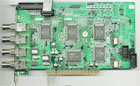
(Capture Card. The Ultimate Solution for more than 1 camera, see below for
details)
(Back
to top)
|
| Can
I use a wirless camera ?
Yes, but let us explain the differenece.
There are 3types of cameras.
1) USB Cameras- these work automatically with a computer so are the easiest to
use. All you do is plug them in. A Usb camera is already digital and designed
only for computers.
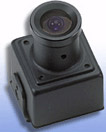
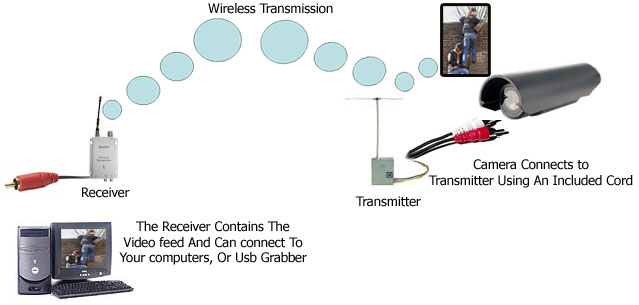
2) Analog Cameras- This is a camera like your camcorder,
wireless camera, or spy camera. To use these types of cameras you need a small
hardware device called a USB Capture Device. This hardware device
makes the camea work with your computer perfectly.
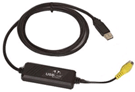
(USB Capture Device-Very easy to use and lets you use wireless, or spy cameras.
This requires one unit per camera)
For a multi camera solution you
can use a 'capture card'
This product is an electronic device that
you install by opening your computer and inserting it into the PCI slot
of your computer. The cards we sell allow you to use from 4 - 16 cameras.
(Capture Card. The Ultimate
Solution for more than 1 camera) 3)
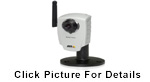
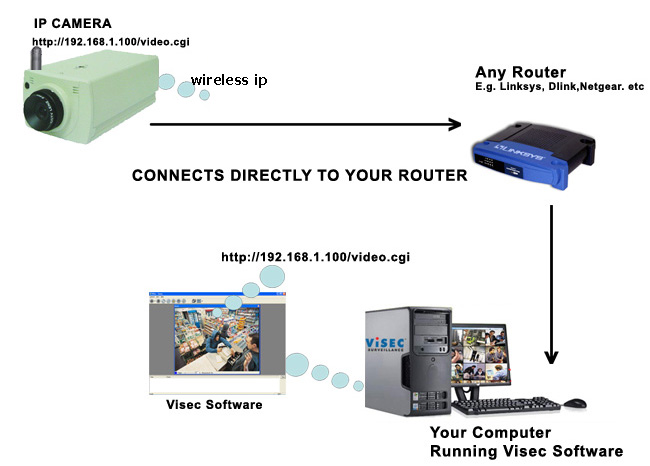
The newest and best kind of camera is an ip camera. This uses your wireless internet
router.
(Back
to top) |
How
Does Live Video Work?
Visec has a feature that turns a computer in
a fully functional web sever, enabling you to login directly to your computer
from anywhere you have Internet Access. Our website works in conjunction with
the Visec program installed on your computer to make the login process easy. In
order to enable this feature, you must a) leave your computer connected
and b) Enable the Live Video feature. The entire process is secure, and
no one is allowed to access it but you.
(back
to top) |
How
much is the program?
Visec is sold on a licensing basis depending
on how many cameras you want to use.The program isusually 299.99 but for Internet
users the price as been marked on sale to $199.99 for full registration for up
to 4 cameras. The free trial download will give you free basic features to use.
Additional features will require you to register the program.
(back
to top) |
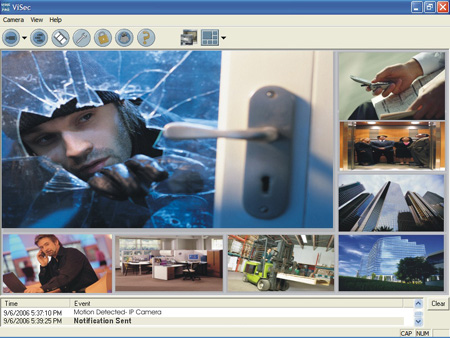
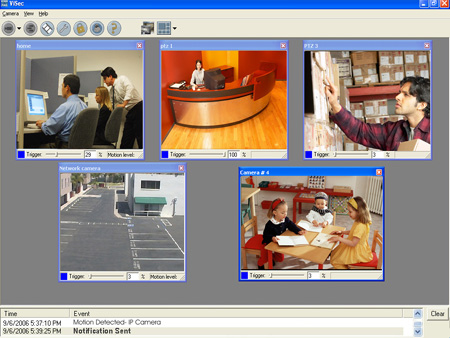
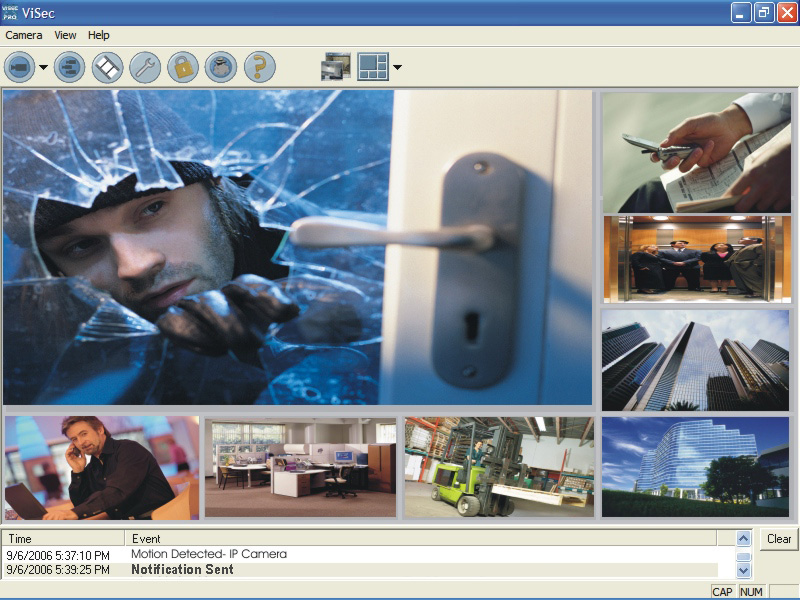
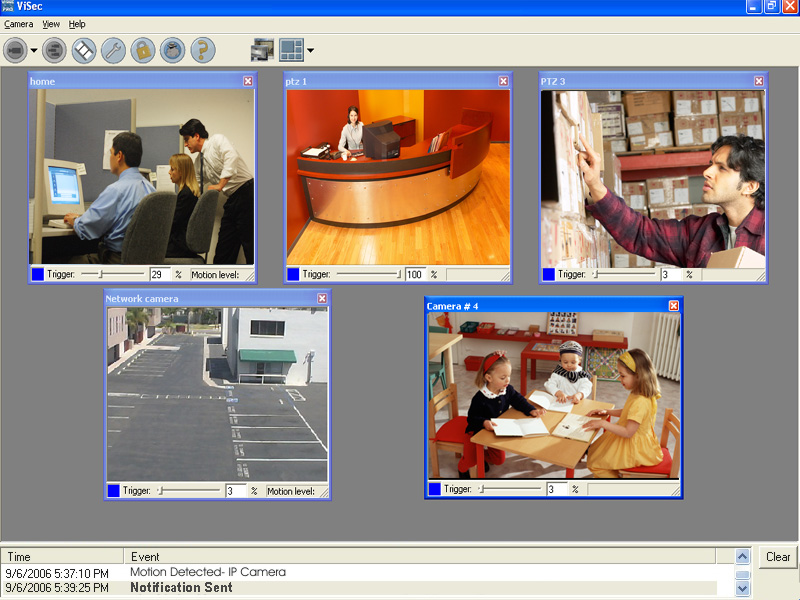
Visec
shows all your cameras in a nice display mode
Extended
Display
|
Click Here
For a Larger View
Standard
Display
Click Here
For a Larger View
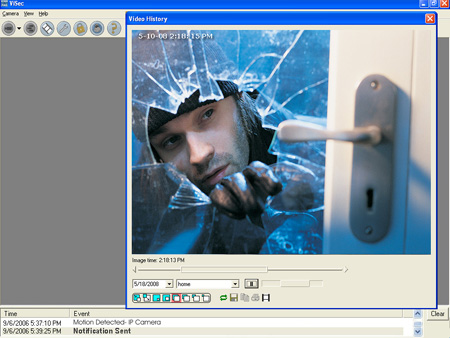
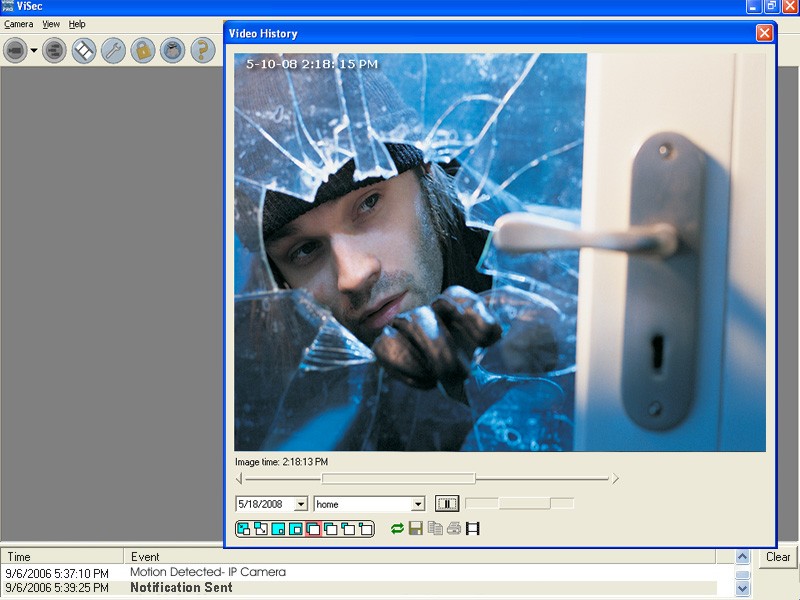
Playback is Easy-
-Play
in different sizes using Virtual Pan - Tilt Playback
-Export video clips or
still images
-Play in slow motion or up to 32x speed
Click Here
For a Larger View
Has Visec caught any crimes?
Every few weeks we get new testimonials
of crimes solved because of the Visec software.
Users from all around the
world; North America, South America, Africa, Europe almost anywhere you can think
of.
Visec has caught crimes involving money, property and abuse. Not
surprisingly many of these crimes are "inside jobs" done by people the
victims knew in some manner or another.
Even non crimes like employee
management, or supervision violations are solved with Visec.
Finally,
many people use Visec to keep an eye on their loved ones and valuables. Our users
consist of family people, corporations, law enforcement, schools,students, medical
facilities, and private investigators to name a few.
Most important,
Visec gives user the piece of mind of knowing what occurs when they are way. And
this piece of mind is priceless.
(back
to top) |
| Can
I record more than 2GB of Video? There
is no limit. Visec can record as much video as your hard disk contains.
We
have systems running terabytes high.
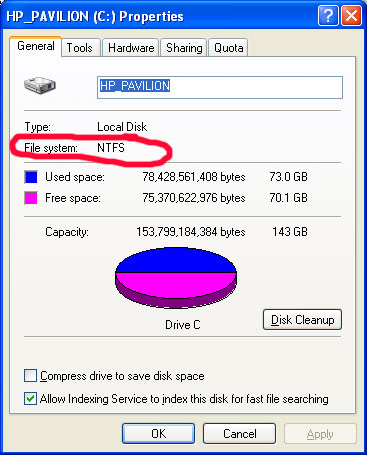
Make sure your file system is set
to NTFS (instead of FAT 16 or FAT32)
This is already standard on newer
computers and you an easily check by right clicking on your hard drive and pressing
properties.
 If
your disk drive is not set to NTFS you can also easily convert it to NTFS using
a basic command: 1-Open
the Command Prompt window.
2-In the command prompt window, type
convert
drive_letter: /fs:ntfs For
example, typing convert D: /fs:ntfs would format drive D: with the ntfs format.
(back
to top) | 
Does Visec support IP cameras?
VIsec is the best IP based software
and supports Axis, IQ, Arecont,
Pixord, Panasonic
and other standard mjeg IP video streams. Visec is the
best Axis Camera Software supporting
100% of all Axis Cameras
Common
Drivers
Below is a list of common drivers for products
sold with Visec Software.
 | Click
Here to watch video clips sent to us from existing Visec users showing
everything from crime to accidents caught by Visec. |
.
|
















 -4
port card
-4
port card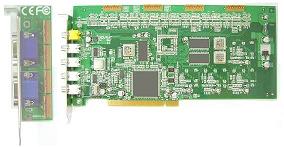 -16
port card-download
-16
port card-download